
Software teams are shipping updates at a quicker pace than before. That speed can raise the stress on quality checks. Code is changing more often. Screens can get more complicated. The test suite grows larger. Release timelines keep shrinking. With all of that happening at once, it is harder to keep testing under control. When the work leans on the same manual steps again and again, plus helper scripts that need frequent edits, quality can slip unless delivery slows down.
This is why AI-based test automation is getting more attention. Many modern tools use techniques from AI and related fields to help with testing tasks. They can support writing test cases, keeping them current, running them, studying failures, and summarizing what happened. Still, AI does not replace people. Strong outcomes usually come from a mix of tool support and human review. Good test data and a solid development routine also matter.
What Are AI Test Automation Tools?
AI test automation tools are software products that use AI to automate or enhance parts of software testing. Older automation often relies on fixed scripts made in advance. AI tools can look at how an app behaves, spot trends, and adjust when changes occur. Some of these systems help by producing test cases, flagging likely risks, breaking down errors, and updating tests when the UI shifts. Each platform offers a different set of features, so teams should pick based on their needs. The goal is to match the tool to the way you test, not to chase the word “AI.”
How AI Is Used in Software Testing
AI tools can be used in more than one part of the software build process. They can look at the requirements, how the app behaves, past test outcomes, and real user actions. From there, they may point to spots that deserve more review. One common use is turning simple text requirements into test cases. Another is studying earlier test misses. By doing that, the tool can spot repeat themes and rank the areas that seem more likely to have bugs.
Common applications include:
- Generating test cases from requirements and user flows.
- Identifying changes that may break existing tests.
- Analyzing test results for unusual patterns.
- Prioritizing tests based on risk.
- Supporting visual and user-interface testing.
- Producing reports that help QA teams understand quality trends.
AI Test Automation vs Traditional Automation
Old school automation still helps a lot. Most setups rely on scripts and element finders that are written by hand. If the app layout shifts, those scripts often break and must be fixed by someone. AI tools try to ease this work. They look for what changed and try to adjust. Because of that, AI-driven test automation can be a good fit for apps that update often.
Still, AI is not a magic switch. Some cases need careful test design by people. Examples include strict business logic, odd user paths, security checks, and niche edge scenarios. For that reason, it is better to mix AI with the usual approach instead of swapping everything out.
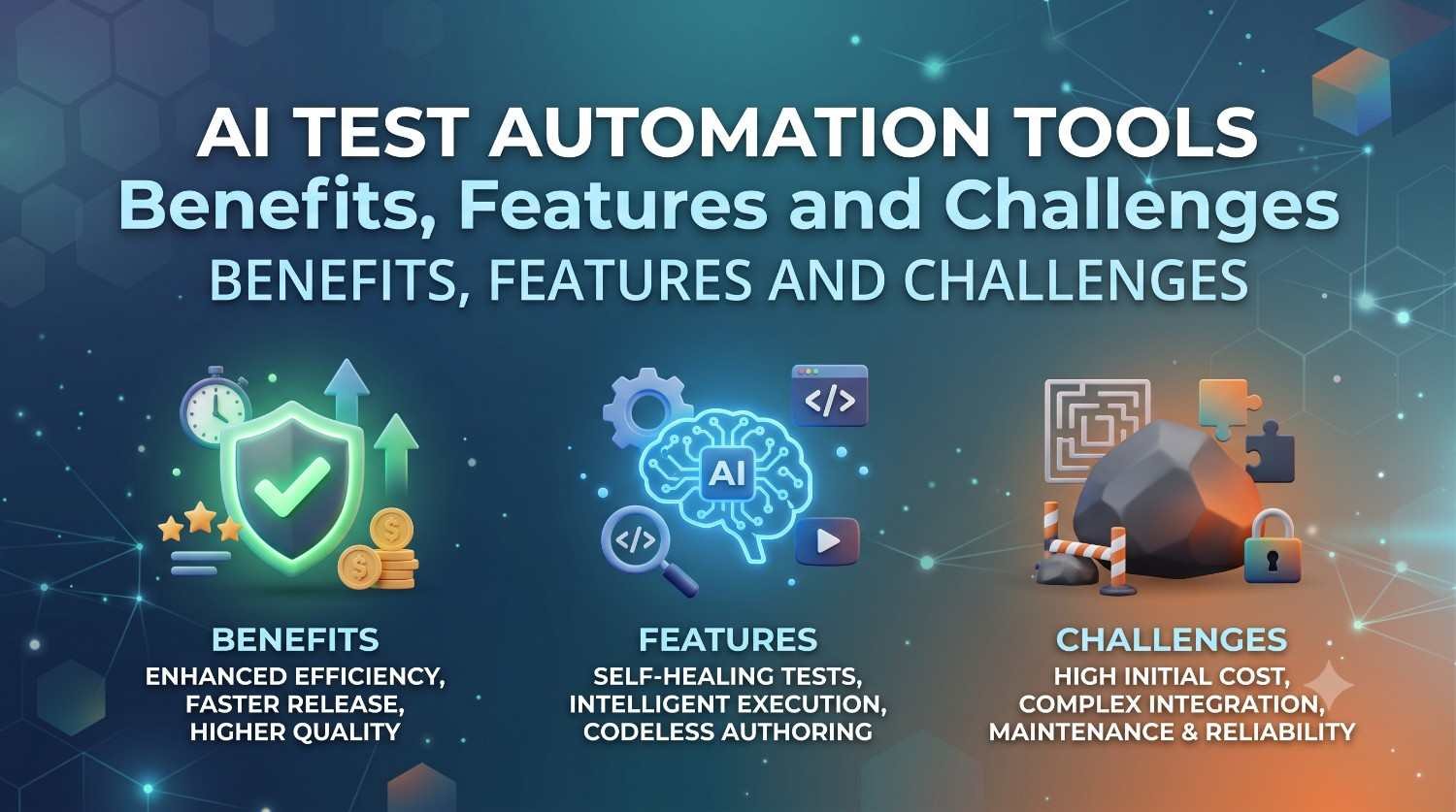
Benefits of AI Test Automation Tools
1. Wider Test Coverage
Automated test generation can help teams run many more test scenarios. It may look at different user routes and input values, and then surface cases a team might miss. When coverage is wider, defects can show up earlier, and key features are less likely to be ignored. Even so, a higher test count is not the same as stronger testing. Teams still need to pick the most important scenarios first.
2. Quicker test creation
Manual test writing can take a lot of time, mainly when an app has many workflows. AI can help by turning requirements, feature notes, or observed user actions into draft tests. This helps teams add coverage without spending the same effort on every single scenario from the start. After that, testers can check the generated tests and adjust them. Then they can be used in the later test cycles.
3. Tests that can recover
Some tests are built to handle certain app changes with less manual work. The idea is to update behavior when the UI shifts. For instance, if a button locator changes, an AI approach might still find that button by using other traits. That can cut down on repeat maintenance. Still, self-healing is not a promise that all failing tests will fix themselves. Teams should review major changes and check for odd results
4. Faster Test Execution
Automated tools can run a huge set of tests quicker than people doing it by hand. Using AI on top of that can help decide what tests matter first, and it can also flag which parts need a closer look after a code change. This is a good fit when teams ship often, like many agile groups. When feedback comes back early, engineers can spot mistakes sooner. They do not have to wait until the end of a release cycle.
5. Finding Defects More Reliably
AI can scan big piles of test data and notice trends. It may point out odd behavior, repeat failure signs, or zones where bugs show up more often. In that way, AI checks can work alongside standard QA. Still, testers should review the output. AI can be wrong at times, and it can miss issues that depend on context.
6. Test Results That Mean Something
With test analytics, the raw results can be turned into signals for better choices. Teams can watch which tests failed, how defects cluster, how much is covered, and how long runs take. These views can guide QA leads when they decide where to focus time and effort. Rather than only saying how many tests passed or failed, analytics can show what the numbers suggest about release risk.
Key Features to Look For
Before you buy test automation tools, check what they can do day to day. Marketing lines are not the main factor.
Automated Test Generation
See whether the tool can draft test steps from requirements, user flows, real user actions, or plain text. That kind of drafting can cut down on writing the same test cases over and over. If you are looking at AI for test creation, you also need a way to fix mistakes. Make sure you can read the new tests, edit them, and keep them up over time.
Self-Healing Automation
A good system should cope with normal UI or app changes without turning every update into a full rewrite. Look at how it finds screen elements. Also check what control the QA team keeps when changes happen on its own.
Natural Language Support
Plain language support can help testers who are not programmers. In that setup, a tester states what should happen in everyday terms. Then the tool turns that intent into runnable tests, when it supports that. It can also make joint work easier across QA, product, and other business groups.
Visual Testing
Visual testing checks an app by looking at what is on the screen. It compares images and spots differences in the user interface. You can use it to find layout issues, wrong button placement, messy text, odd color use, and other screen problems. It is handy when an app must look right across many browsers and different screen sizes.
Risk-based testing
Not all checks matter the same. With a risk-based plan, you rank tests by what could go wrong. Teams often consider recent changes, past defect trends, the effect on the business, and how important the feature is for users. With the right help, AI can surface those patterns and point to the best areas to test first. This can let a team spend limited time in a smarter way.
Putting tests in CI and CD
Teams today want tests to run inside their delivery process. CI and CD setups let automated tests start during continuous integration and deployment. Before you pick a tool, confirm it works with what your dev and QA teams already use. Even a strong system can cause friction if it does not match your current workflow.
Common Use Cases
Regression Testing
Regression testing is used to make sure new updates do not break what already worked. In practice, AI can help teams pick which tests to run, refresh old cases, and set the order of execution as the app changes. This can matter a lot when releases come often.
Functional Testing
Functional testing confirms that the software acts as required. AI can assist by making test cases from common flows and real user steps. For instance, an online store can check search results, sign up, checkout steps, payment steps, and the final order page. It can do this under different setups too.
User Interface Testing
UI testing checks screen behavior and screen appearance. Some AI tools look at the visuals and catch changes that may make the app feel worse. They can also place screens from two builds side by side and flag odd shifts in spacing, alignment, or theme. This adds another angle compared with the usual test runs.
Performance Testing
AI can look through performance logs and find repeat trends. It may point to slow calls or slow responses that stand out. Those hints can guide what to inspect next. Even so, teams still need solid test plans and realistic load. They also need knowledge of the system under test.
Exploratory Testing
AI can propose extra cases by using how the app acts and what is already covered. That can help when scripted checks miss some paths. Still, people matter a lot in this type of work. Exploratory testing relies on what someone notices, the context they bring, and the choices they make.
Limitations of AI Test Automation
Initial Cost
Some AI tools can cost a lot up front. That can include license fees, setup work, user training, and linking the tool to existing systems. Smaller companies should do the math on expected gains first. It is not safe to assume costs will drop on their own. A staged rollout can also help. It lets a business check if the tool brings clear value before it plans to use it more widely.
Data Quality
AI work needs good inputs. If the test data is messy, if the requirements are not complete, or if old results do not line up, the output can suffer. For teams just starting with AI software testing, getting clean and dependable test data should be near the top of the list.
False Results
AI can be wrong. A test it creates might not match a real business need. Also, a defect prediction can flag something harmless as a problem. A person should still review results, especially when the app is important.
Limited Customization
Some platforms fit standard web and mobile testing tasks. They may not adapt well to cases that are very specific. Before a team buys a tool, it should check the fit with its own app. It should also test with its frameworks, day to day workflows, and technical needs.
Best Practices for Implementing AI Testing
Begin with a small pilot first. Do not try to automate all testing on day one. Pick a workflow that is steady and easy to judge. Keep the focus on clear results. Use AI and manual work side by side. AI can help with repeat checks and finding trends. Testers still bring judgment, fresh ideas, and real business knowledge.
For agile groups using AI, feedback should come often. QA, engineers, product managers, and ops should review the findings as a group. Improve the plan step by step, not in big leaps.
Will AI Replace Software Testers?
AI is more likely to shift the job of testers. It is less likely to remove the role. Tools can take on the dull, repeat tasks. That frees testers to focus on planning, hands on checks, risk review, usability, and hard edge cases.
Testers will also need to learn how AI test cases are made. They must know how to verify what the AI reports. Expert review stays key. Product quality is not just about a script being green. It is about how the system behaves for real people.
Future of AI Test Automation
AI in software testing is set to move toward systems that can create tests on their own. It will also use predictive views to spot likely problem areas. Teams may sort tests in smarter orders so the most useful checks run first. More tools will accept commands in plain language. When failures happen, the analysis will get better and clearer.
In many orgs, AI will link requirements, how the app behaves, the test steps, and bug records in a smoother loop. Still, they will have to deal with privacy rules and safer handling of data. They will also need to watch model trust and guard against misuse. Openness into how the model makes choices will matter too. People will still need to review results. The best path is to treat AI like an extra layer that helps QA work, not as a full swap for testing skill.
Conclusion
AI test automation is already shifting how QA teams handle quality. It can help with test creation, updating old tests, running suites, and reviewing results in a visual way. It can also flag defects and improve reports for teams. The main benefit is less busy work. It also gives testers better context for daily choices. Even so, teams should not buy AI just because it is trending. They should check how the tool fits real team tasks. They should review data quality, security rules, and how it plugs into existing systems. They should also test it against their goals. If AI is used with experienced testers and a solid QA plan, automation can become quicker, scale better, and respond more easily to fast software release cycles.
Frequently Asked Questions
What are AI test automation tools?
They are software testing platforms that use AI and machine learning to assist with test creation, execution, maintenance, analysis, and defect detection.
Are AI testing tools better than traditional automation?
They can reduce maintenance and accelerate test creation, but traditional automation remains useful. A combination of both approaches is often more effective.
What is self-healing test automation?
It allows automated tests to adapt to certain application changes, such as modified UI elements, reducing the need for manual script updates.
Can AI replace QA testers?
No. AI can automate repetitive tasks, but human testers remain important for exploratory testing, judgment, business context, usability, and complex scenarios.
What should I consider when choosing an AI testing tool?
Consider test coverage, self-healing, AI generation, visual testing, integrations, analytics, security, customization, ease of use, and compatibility with your existing QA workflow.










Leave a Reply